Your app, on phones and computers
We build the apps your team uses on the phone in the field and on the computer in the office. Web, mobile and desktop reach the same data, and we publish to the app stores too.
For companies that want their team in the field, the warehouse or on the road to work from the phone, and the office from the computer.
Scope
What we do
iOS and Android
An app installed on phones and tablets, downloaded from the App Store and Google Play. It can use device features such as the camera, location and notifications.
- iPhone, iPad and Android app
- Camera, location and notifications
- Sign-in and user permissions
Windows and macOS
A desktop app installed on office computers, working with devices such as printers and barcode scanners, and opening offline when needed.
- Windows and macOS installer
- Printer and barcode scanner support
- Offline use
Shared backend
The web panel, the mobile app and the desktop app connect to the same server; a record entered in one place shows up everywhere.
- Shared server and database
- Web admin panel
- Connection to your existing system
Release and updates
We prepare the app to pass store review, publish it and release new versions regularly.
- App Store and Google Play release
- Version updates
- Error tracking and support
Web, mobile, desktop
The same data on every screen
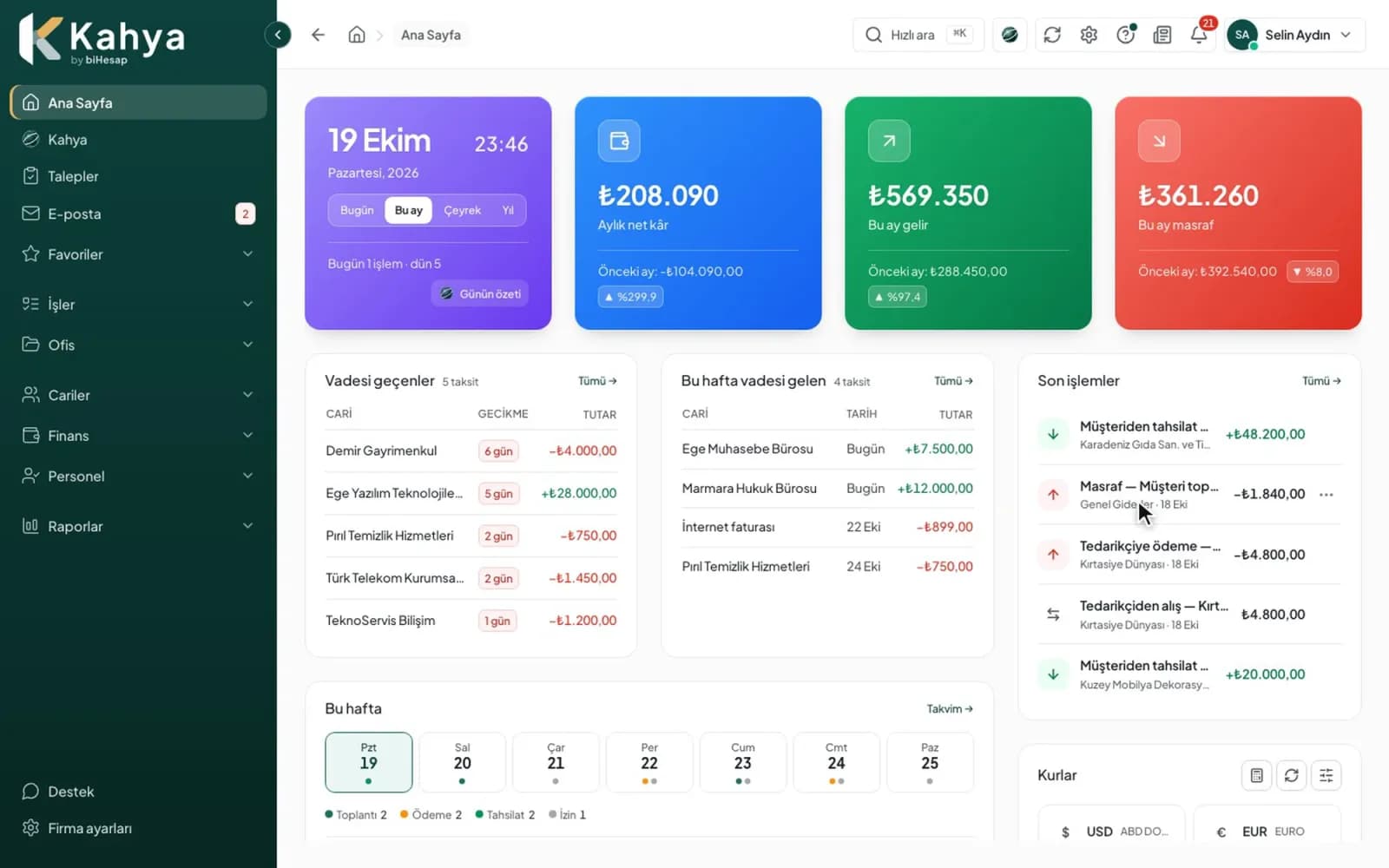
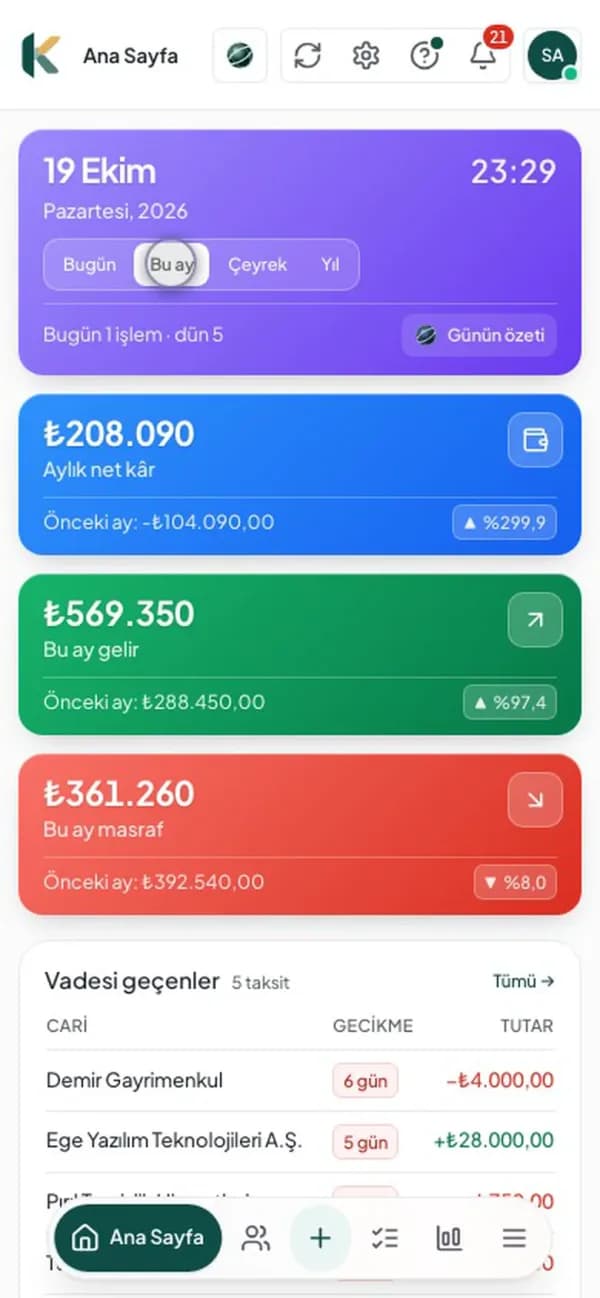
Our own product Kahya runs on the same records from the office computer and from the phone in the field. We build your app the same way.
Delivery
What you keep when the job is done
All in your company's name, including source code and accounts.
- A working app
- Release in the stores
- Source code
- Maintenance and updates
How we work
Mobile and desktop apps: step by step
- 01
Discovery
We work out together who will use the app, where, and for which job.
- 02
Screen design
We design the phone and computer screens and show you a clickable preview.
- 03
Development
We build the app and the server it connects to, and test it on real devices.
- 04
Release
We publish to the stores, show your team how to install it and keep it updated.
What you gain
What changes when this job is done?
Recorded on the spot
The team enters the work on the phone where it happens; no retyping back at the office.
One set of data
A record entered on the phone shows up at once on the office computer and in the web panel.
Your own app
The store accounts and source code are in your company's name; the app grows with you.
FAQ
About Mobile and desktop apps
If your question isn't here, ask it in the form below.
Do you write separate apps for iOS and Android?
We decide per job. Usually both platforms come from the same code and are updated together; if a device-specific feature is needed, we write that part separately.
Does the app work offline?
If needed, yes: records are kept on the device and sent to the server when the connection returns.
Who opens the store accounts?
The accounts are opened in your company's name; we handle the setup and the release.
Can it connect to the system we already use?
Yes. We build it to connect to the data of the software or website you already use.
What determines the price?
It depends on the scope; we don't sell fixed packages. We put the price in writing in the quote.
Quote
Request a quote for Mobile and desktop apps
Write a few sentences, and we'll send the scope, timeline and price in writing. The intro call is free and non-binding.
[email protected]